Feature requests

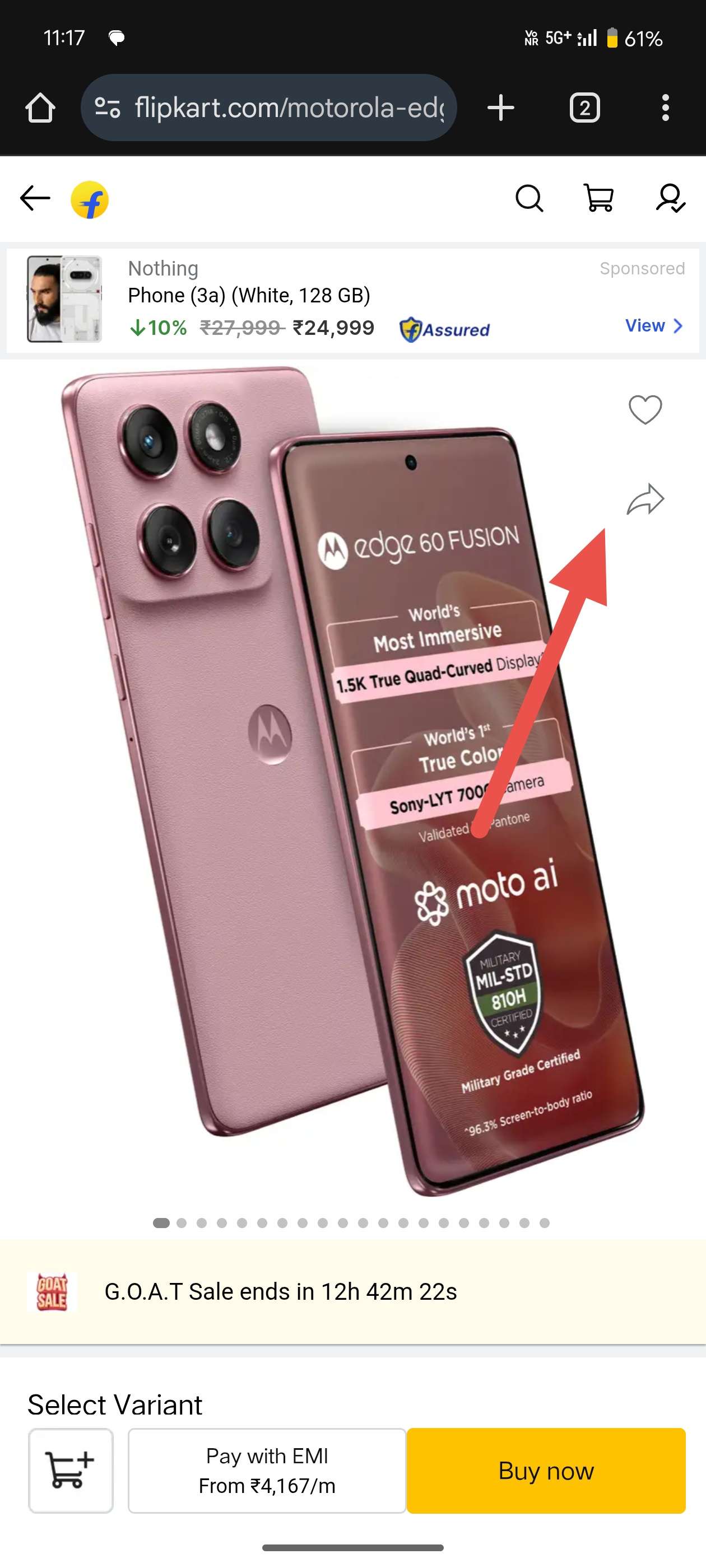
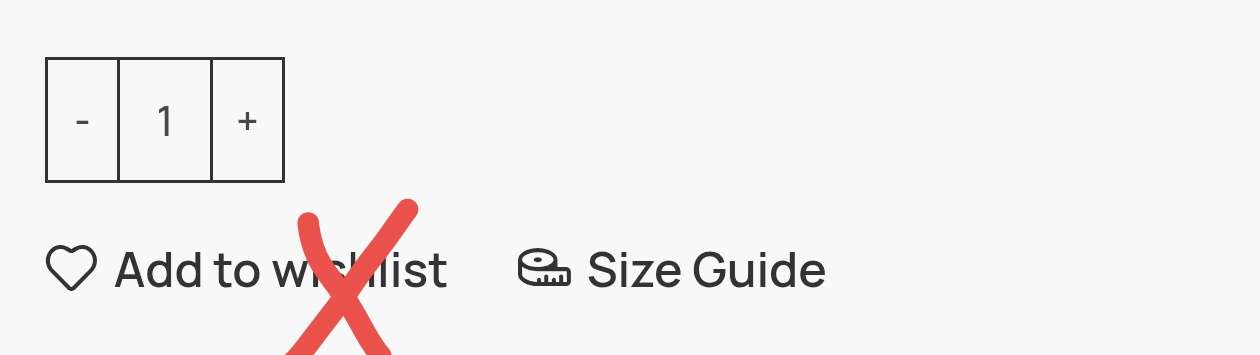
Wishlist icon on product image in product detail page

1y agoCompleted

Please add the wishlist icon on product image in product detail page not in separately to look more compact a d good add the share button also inside the image please add like that in the attached

  • img/d5bwdav4unc1zrdvwkf3g56b
  • img/vkcspsq21mxl2ybowkm810ez
and 15 others

6 comments

  1. Thanks for the feedback, Sandra and Ahmad. It's a fair point that building a whole layout for one icon feels like a lot.

    We don't want to add this as a theme option because it wouldn't stay a single checkbox. It would need settings for the corner, the buttons to show (Share, Compare, Size Guide, Price Tracker), mobile behavior, and the color scheme and background so the icons stay visible on any photo. It would also have to work with every gallery type and avoid overlapping the labels, zoom, video, and 360° buttons that already sit in the image corners. On top of that, it wouldn't apply to custom Single Product Layouts, which leads to "why doesn't this setting work" confusion. We already hear that the theme settings are too cluttered, and this would only add to that.

    The Layout Builder already covers this and lets you place any of these buttons on the image exactly where you want. About 25% of our prebuilt websites use it by default. For the rest, there are ready-made layouts that replicate the existing prebuilt single product pages, which makes switching straightforward.

    To take it a step further, we can look into adding layout presets with Wishlist and other buttons already on the image, both for building a single product page from scratch and as templates you can drop into an existing Single Product Layout.

  2. A workaround is named "completed" !? 😶

    I would love to have the icon on the image, but it would be an unbalanced trade to create a Single Product Layout ONLY for this reason, no?

  3. Bogdan Kononov marked this as Completed2mo ago
  4. Hello. This can already be easily achieved using the Single Product Layout Builder. To do this, create a product layout and drag the Wishlist element into the column next to the thumbnail. Set its style to "Icon only," then in the Advanced tab set the width to fit content. In the Position section, choose "Absolute" and pick the corner where you'd like it aligned, then set the thumbnail column's position to "Relative."

    • img/i_ci38oetg2vfusy5xwld23m3x
    1. I think it's not a good idea to do all this i suggest simply create the product default layout like i shown the screenshot reference for wishlist and share button

  5. I want it, every ecom website show wishlist button on product image not separately

  6. Please vote for this guys to make product detail page better same product design from starting of the theme no product page improvement so far