WoodMartW
WoodMart
Oct 8

Single Product Tabs: Allow More Tabs and Order

1. Actually only 2 Extra Tabs are allowed on single product. I think a minimum of 5 are required to cover all kind of products. Or give the option to create tabs as everyone needs. 2. Order: The actual order I think makes no sense. These single product tabs would be better positioned between "description" tab and "additional information", and then the other extra global tabs like"about the brand", "shipping information" or whatever. Single product extra tabs are more specifical to product than these global tabs, so in the order I think they should go before. Or other option, is to give the possibility to order them like everyone wants. Thx
CompletedCompleted

Jul 12, 2025

John Morgan thank you, I had not noticed that the Woodmart Core plug in needed to be updated. The theme was.

Jul 11, 2025

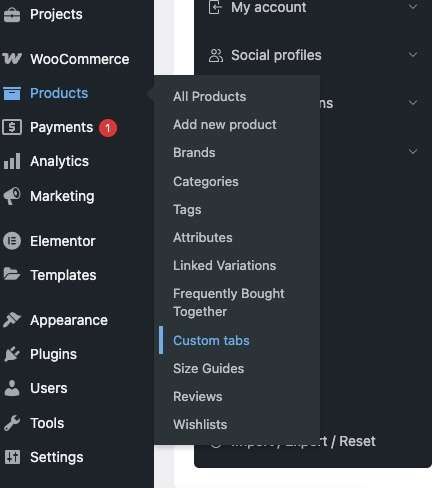
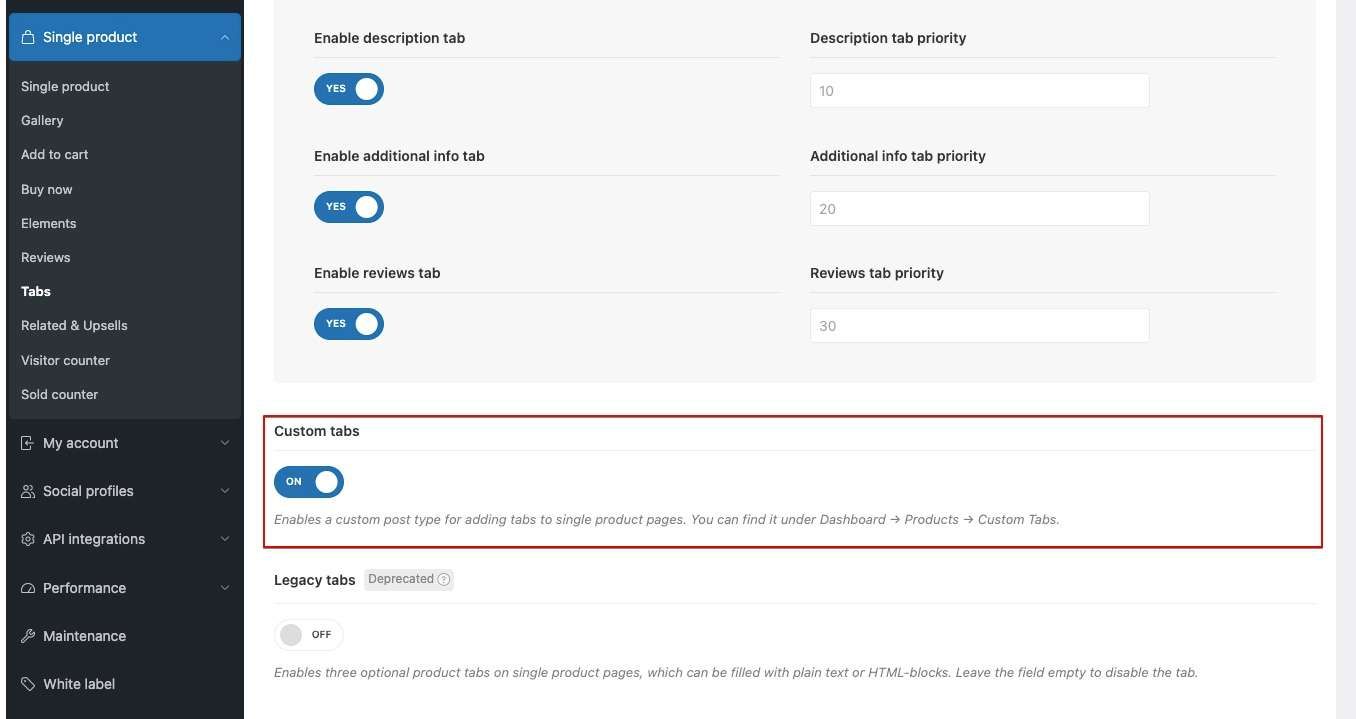
Amy Skea The main reasons why the “Custom Tabs” section may not appear under Dashboard → Products → Custom Tabs are: 1. The Custom Tabs option is not enabled in Theme Settings → Single product → Tabs. 2. The WoodMart Core plugin is not updated to the latest version. Unfortunately, we can’t provide full theme support here. If you have completed all of the above steps and the Custom Tabs section still doesn’t appear, please create a topic in the appropriate section of our support forum: https://xtemos.com/forums/forum/woodmart-premium-template/

Jul 11, 2025

Hi John. the custom Tab button is still not there, after deactivating the plugin. The theme is up to date.

Jul 11, 2025

John Morgan thanks for the reply - it does not show in my dashboard - I have the setting as you have above have refreshed and cleared cache. I press the TABS button on the left, and it brings me to the plugin not the theme. (it says TABS not CUSTOM TAB ) I will disable plugin and try again. thank you

Jul 11, 2025

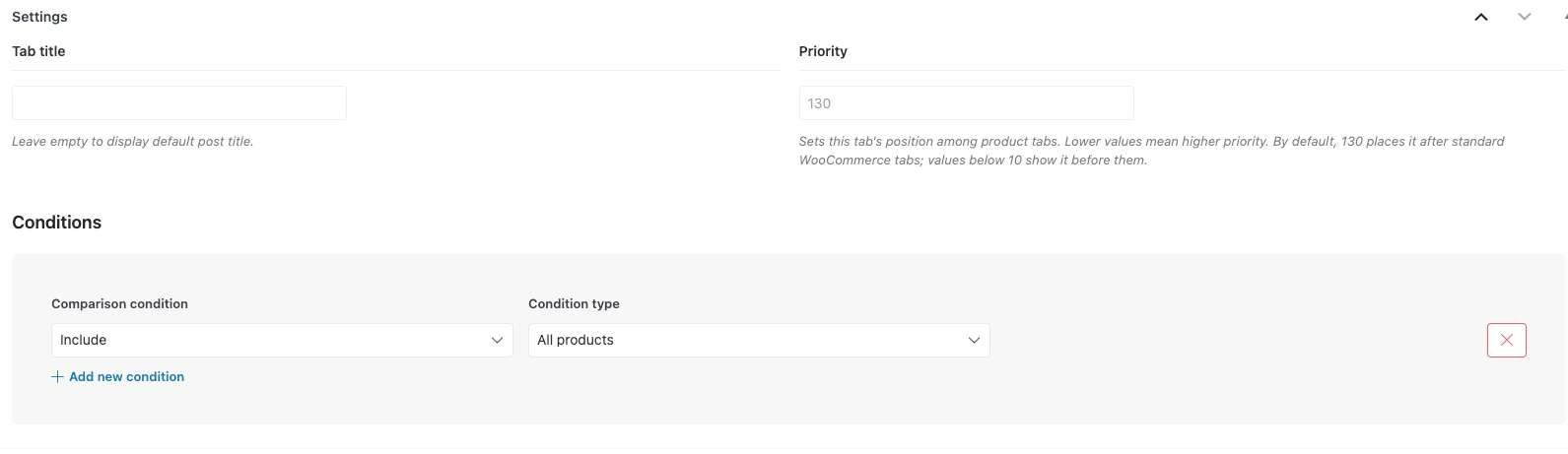
Amy Skea: In version 8.2, we introduced the Custom Product Tabs feature. This functionality allows you to create an unlimited number of product tabs and assign them in any combination using conditions, which include individual products, categories, tags, attributes, brands, and more. Each tab also has its own priority setting, enabling you to control the order in which the tabs appear on the product page. Once the Custom Tabs option is enabled (it is enabled by default for new installations), you can access the tab management panel at Dashboard → Products → Custom Tabs. This feature matches the request for the mentioned functionality and has therefore been marked as completed. If you have additional suggestions for expanding this functionality, please consider creating a new feature request, describing it in detail to ensure clarity for other WoodMart users.

Jul 11, 2025

John Morgan This is not as good as the plug-in that I use and therefore I won't be using this feature. The free plug in allows unlimited tabs and they are assigned automatically according to category of the product (or other criteria). I feel that you have only brushed the surface with this suggestion and the theme could deliver a good feature. To add each tab to each product manually, as the theme currently does, is very cumbersome, and tabs are likely to be forgotten. I have 10 extra tabs for my products. (each product will have 2 or 3) I use Custom Product tabs for WooCommerce by Web Builder 143

Dec 6, 2024

Agree +1 and more tabs on product page

Oct 15, 2024

I use a plug in for this - tabs are allocated per category or per product tag. It would be good to have this in the theme, one less plug in! Also more variation on how the tabs look is vital - they are quite bland just now

Oct 22, 2024

Amy Skea what plugin do you use?

Oct 22, 2024

C.C. Warrens Custom Product tabs for WooCommerce by Web Builder 143 It works really well - you assign it to a category. Unlimited number. But I forget the order in which they appear (as in before or after the default ones)

Oct 15, 2024

Would be great!