
Jun 20
"Quantity" of product variation CAN'T BE UPDATED in shopping cart automatically
I installed wordpress, woocommerce, elementor and woodmart theme. Let me give you an example what issue we are facing.
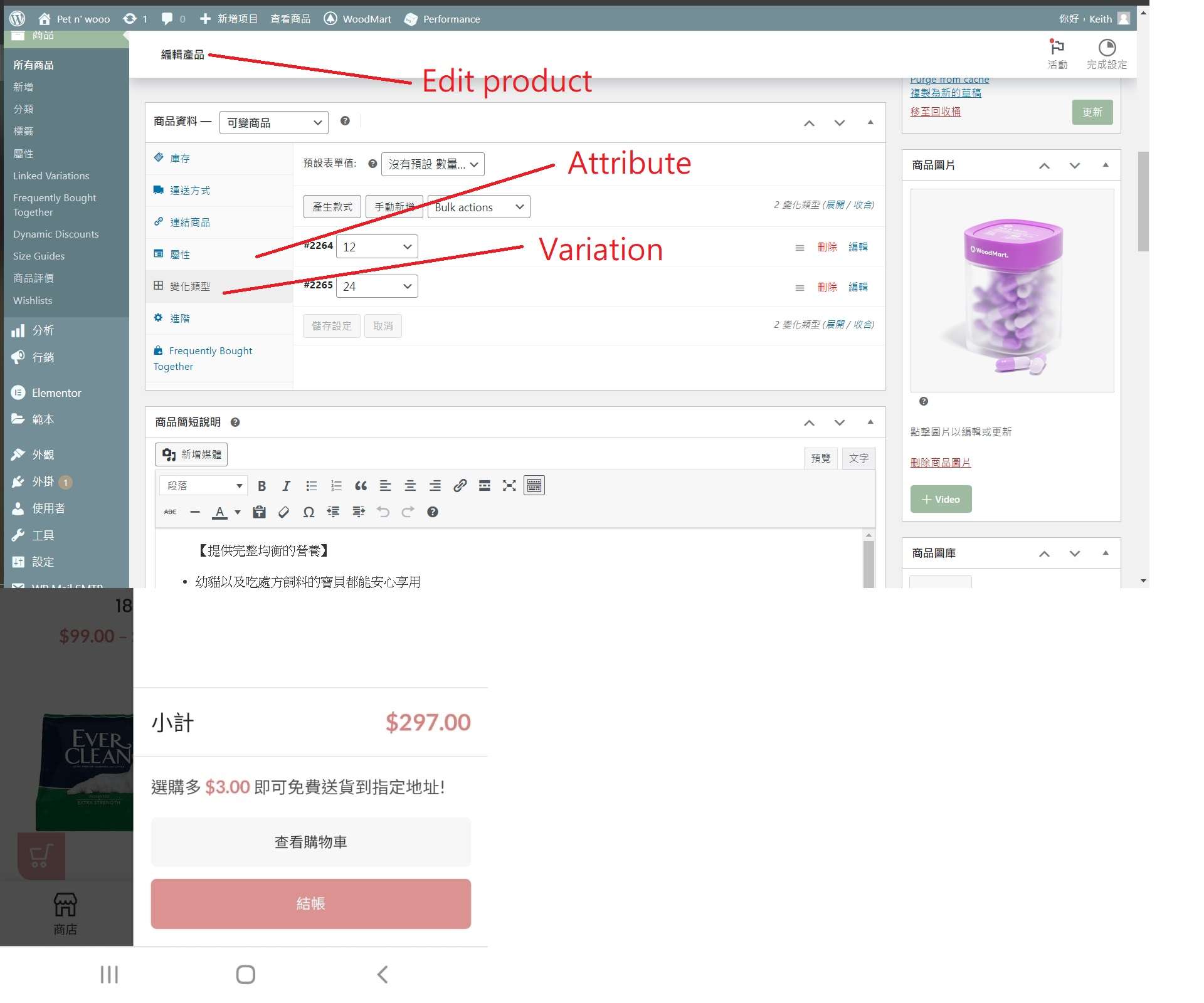
I created an attribute which is called "quantity" with 1, 12, & 24. Then I accessed to "Product" tab under Woocommerce of Wordpress Dashboard, and added this "quantity" on the attribute tab of e.g. Product A with 1, 12, 24 as their attribute value, and checked the box of "visible" & "Variation" as well. Afterwards, I also added 1, 12 & 24 on the variation tab of Product A, and am filling the variation form with "no discount for choosing 1, $1 discount for choosing 12, and $2 discount for choosing 24". The aim I did this is to create a variation checkbox in this Product A's listing grid of shop page with 3 options (1, 12, 24). When customer choose 12, then the shopping cart can automatically updated the quantity to 12, and the price with $1 discount ; and choose 24, then the shopping cart can automatically updated the quantity to 24, and the price with $2 discount.
But finally I am successful to make this change to the "$1 discount" only, but failed to make this change to the "quantity". Because when the shopping cart expanded after I checked the variation checkbox, it really shows there is $1 discount but still shows the quantity is 1, rather than the quantity I checked. How can I fix this by using the simplest method rather than adding a code to JS ?
(Attached pls check the successful case who is also using one of the Woodmart theme, Woocommerce and Wordpress to create its own website like us)
<< Attached Image >>
P.1 & P.2 - successful case of other wesbsite who is using Woodmart
P.3 & P.5 - failed case of our website who is using Woodmart
P.6 - our purchase code
Thanks
My email is : petnwooo@gmail.com




Pending