May 12
Product styles on PC and mobile
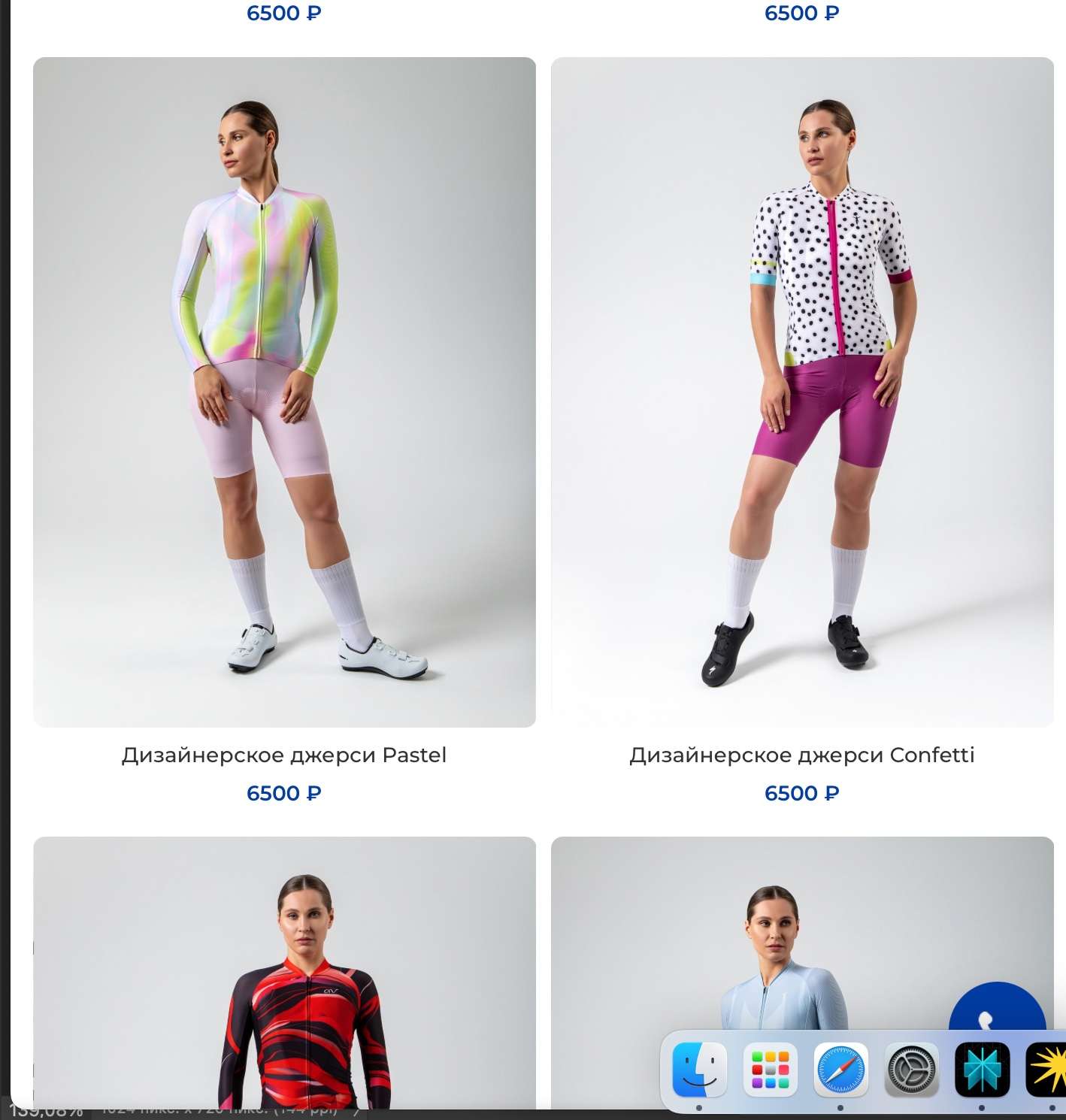
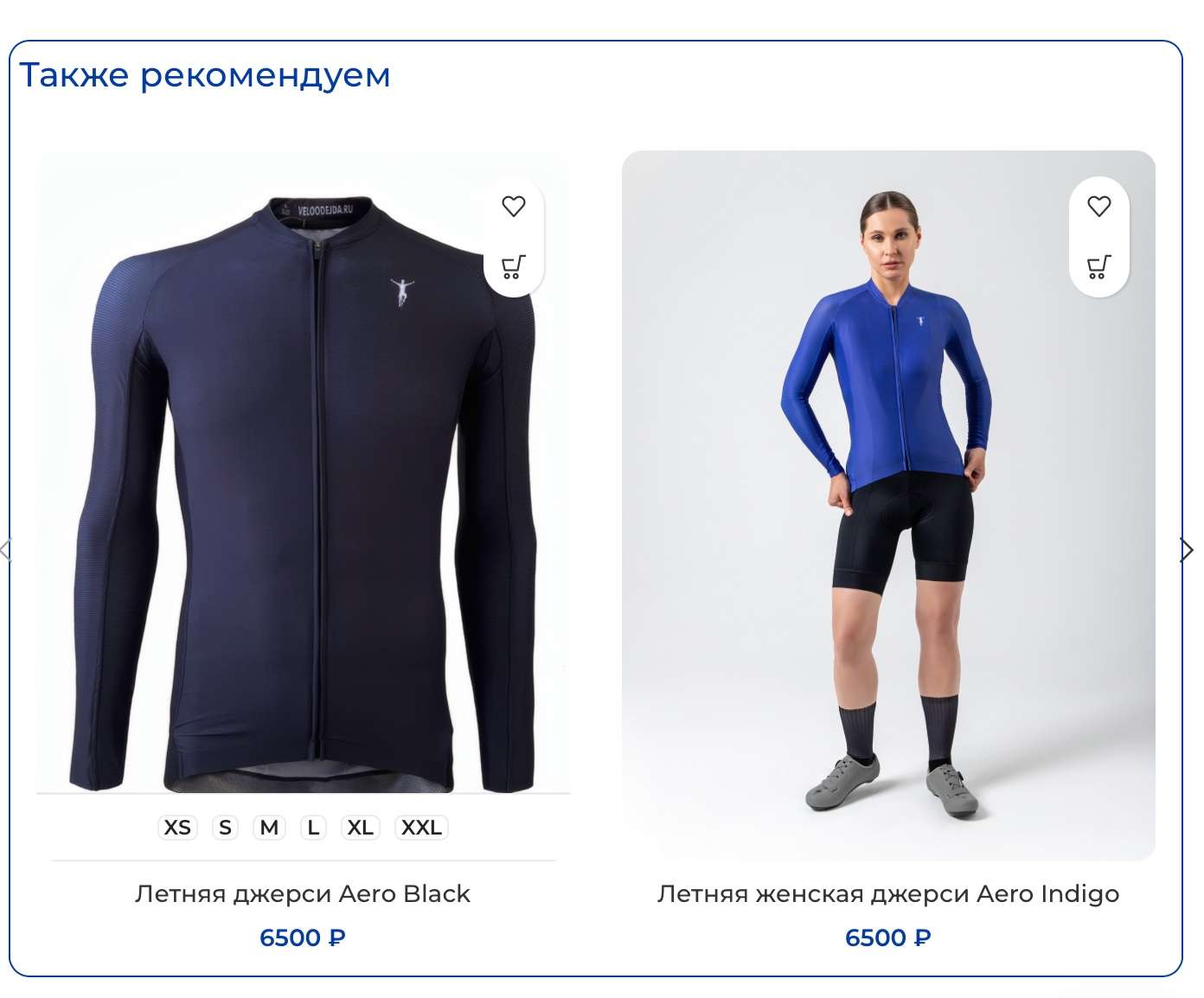
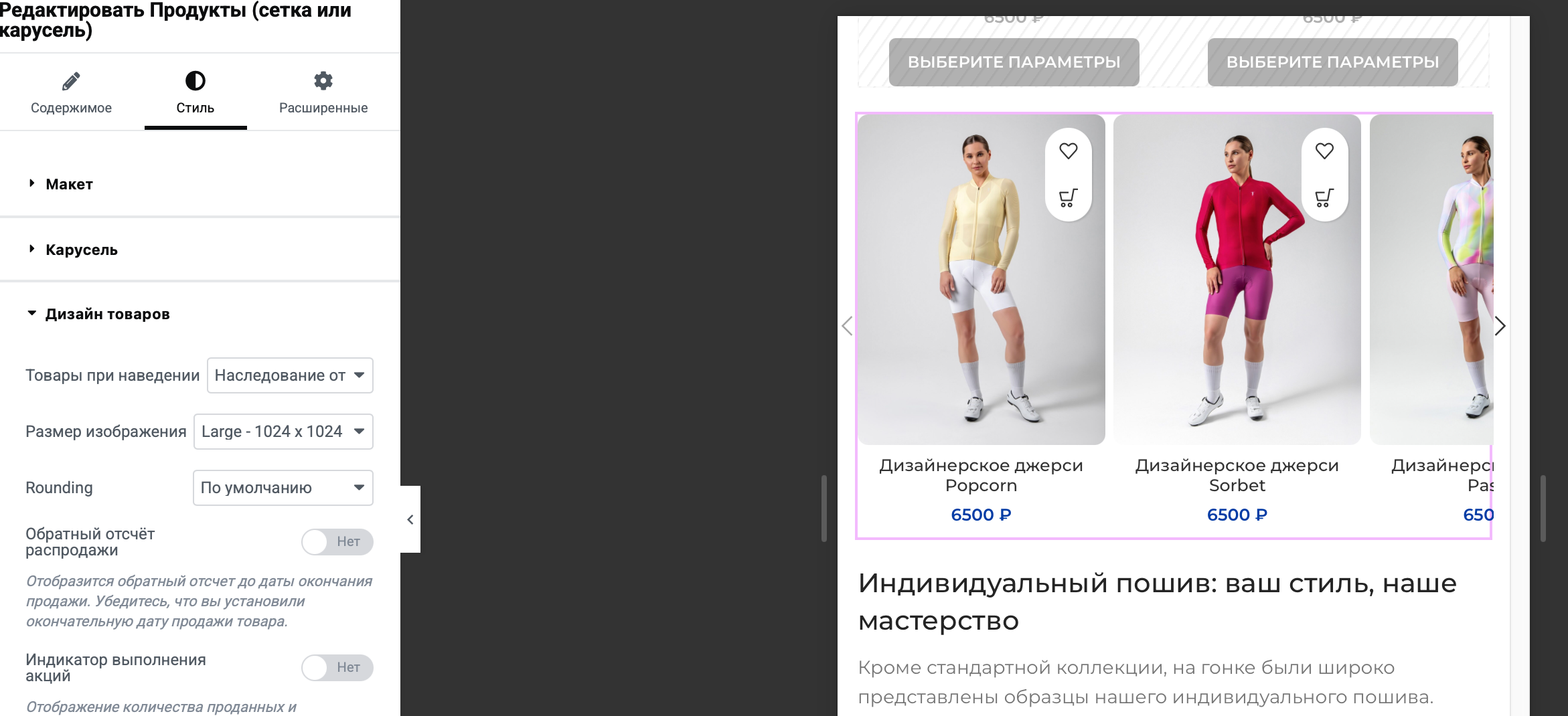
The first screenshot shows how our products look in the catalog on a PC. We really like it. When you hover over them with your mouse, the sizes are shown. On a mobile device, it looks like the second screenshot, and we are also happy with that. But for some reason, when you go to the “recommended products” section of the product card, and when adding products to the page via Elementor, the cart and favorites icons appear, like in the third screenshot. I went through all the settings and did not find a style that did not have these icons. I would like everything to look like the general catalog on a mobile device.
Closed
Hello, Thank you for reaching out to us with your question. We appreciate that you use our theme and are happy to help you in any way we can. To ensure that we are able to provide you with the best support possible, we encourage you to create a new topic on our support forum with your question or issue. Our support team actively monitors the forum and will be able to provide you with a prompt and thorough response. To create a new topic on our support forum, please follow these steps: 1. Visit https://xtemos.com/forums/forum/woodmart-premium-template/ and sign in with your account. 2. Click on the “Create New Topic” button and provide a descriptive title and detailed description of your question or issue. 3. Click “Submit” to post your question. Once you have posted your question on the support forum, our team will review it and provide a response as soon as possible. Thank you for your cooperation, and we look forward to hearing from you on the support forum. Best regards