
Aug 29
Modern Menu
Would you consider adding a modern menu? the normal menu is a bit basic and the mega menu is too much and a lot work. The 2nd issue is they dont work the same for mobile devices
Pending
Hello! Could you please explain in more detail how the "modern menu" you mentioned should differ from a regular menu? Could you perhaps provide screenshots of its appearance, or real examples from other sites, so we can better understand its look and the differences? Best regards.
Hello WoodMart Team, I hope the following is clear and helps. Proposal: WooCommerce-Driven Dynamic Category Navigation (Automated Flyout/Panel) Thank you for asking for more details! After reviewing current navigation options and real-world store workflows, the feature we are proposing can be summarized simply: **A WooCommerce-driven Dynamic Category Navigation system, with a modern Dynamic Flyout/Panel as the primary presentation mode.** We are not proposing four separate menu builders, nor are we asking to replace the existing Mega Menu. Instead, the goal is to bridge the gap between basic WordPress text dropdowns and heavy, manually built HTML Blocks. --- ### The Gap in Current Menu Options | Menu Type | Workflow | Trade-off / Limitation | | --- | --- | --- | | **Regular WordPress Menu** | WP Nav Menu Links | Flat, unstyled text list with zero visual context or category thumbnails. | | **Current WoodMart Mega Menu** | Manual HTML Blocks | Highly customizable, but requires creating and manually updating HTML Blocks for every category tree. Re-building layouts when categories change creates massive support and maintenance overhead. | | **Proposed Dynamic Navigation** | **WooCommerce Data Engine** | **Automated & Data-Driven:** Auto-fetches categories, hierarchy, and thumbnails. Zero HTML Blocks required. | --- ### Proposed Workflow: Data-Driven Generation Instead of the manual pipeline (*User builds layout manually → WoodMart displays it*), the new feature shifts to a dynamic pipeline: > **WooCommerce Category Database → WoodMart Dynamic Engine → Automated Presentation** ``` WOOCOMMERCE CATEGORY DATA (Category Tree, Thumbnails, Product Counts) │ ▼ DYNAMIC NAVIGATION ENGINE │ ┌───────────────────────────┼───────────────────────────┐ ▼ ▼ ▼ [ Dynamic Flyout ] [ Segmented / Tabbed ] [ Mobile Drill-Down ] (Default Presentation) (Large Catalog Option) (Auto-Synced Drawer) ``` --- ### 1. Primary Mode: Dynamic Flyout / Panel (Default) When a store administrator assigns a top-level category (e.g., *Furniture*), WoodMart automatically renders a multi-column dropdown containing its subcategories and category images: ``` ┌───────────────────────────────────────────────────────────────┐ │ FURNITURE (Top-Level Hover) │ ├───────────────────┬───────────────────┬───────────────────────┤ │ SOFAS │ CHAIRS │ TABLES │ │ • Corner Sofas │ • Dining Chairs │ • Coffee Tables │ │ • Sofa Beds │ • Office Chairs │ • Side Tables │ │ • Recliners │ • Bar Stools │ • Console Tables │ │ │ │ │ │ [CATEGORY THUMB] │ [CATEGORY THUMB] │ [CATEGORY THUMB] │ │ (Auto-fetched) │ (Auto-fetched) │ (Auto-fetched) │ └───────────────────┴───────────────────┴───────────────────────┘ ``` **Automated Logic Features:** * Auto-fetches Category Name, Subcategory Hierarchy, URLs, and Category Thumbnails. * Automatic multi-column layout balancing based on subcategory counts. * Optional badges (*New / Sale*), icons, product counts, and *"View All"* parent links. * Works seamlessly for both **Top Header Navigation** and **Side Header/Sidebar Navigation**. --- ### 2. Large Catalog Presentation: Segmented / Tabbed Mega Menu Option For large department stores or massive inventories, the same underlying WooCommerce data engine can optionally display inside a fixed, tabbed mega menu panel to prevent screen clutter: ``` WOMEN │ MEN │ KIDS │ HOME │ SALE ─────────────────────────────────────────────────────────────── Clothing Shoes Accessories • Dresses • Trainers • Bags • Tops & Tees • Boots • Jewellery • Jeans & Trousers • Sandals • Belts & Hats ``` This is not a separate menu builder—it is simply an alternative presentation setting for stores with deep category trees. --- ### 3. Native Responsive Mobile Sync Because navigation is generated dynamically from WooCommerce database categories rather than fixed desktop grid builders, mobile layout integration requires **zero double work**: ``` [ Mobile Drawer Root ] [ Level-2 Drill-Down ] ┌─────────────────────────┐ ┌─────────────────────────┐ │ SHOP │ │ ← Furniture │ │ Furniture > │ ───► │ Shop All Furniture │ │ Lighting > │ │ Sofas > │ │ Bedroom > │ │ Chairs > │ │ Accessories > │ │ Tables > │ └─────────────────────────┘ └─────────────────────────┘ ``` Desktop and mobile share the exact same WooCommerce category structure, automatically adapting to touch-friendly off-canvas drill-down drawers on mobile screens. --- ### Reference Links & Live Examples #### Functional Plugin References (Database Integration) These plugins demonstrate how WooCommerce category attributes (`thumbnail_id`, taxonomy hierarchy) are queried to build automated menus: * **Max Mega Menu:** [WooCommerce Dynamic Category Integration](https://www.megamenu.com/documentation/how-to-display-woocom…) * **QuadMenu:** [Dynamic WooCommerce Navigation Engine](https://quadmenu.com/woocommerce/) #### Live Frontend UI References (User Experience) * **Tabbed / Segmented Mega Menu (Top Department Tabs + Columns):** Inspect [ASOS Navigation](https://www.asos.com) or [Uniqlo](https://www.uniqlo.com) *(Hovering top department tabs swaps multi-column category grids dynamically inside a unified container)*. * **Standard Multi-Column Mega Menu:** Inspect [Nike Official Store](https://www.nike.com) *(Hover over "Men" or "Women" for multi-column grids paired with promo visuals)*. * **Dynamic Multi-Column Flyout:** Inspect [COS Official Navigation](https://www.cos.com) *(Sub-link columns auto-paired with category images)*. * **Vertical Side-Tab Mega Menu:** Inspect [Anker Official Store](https://www.anker.com) *(Side-tabs swapping subcategory blocks in a fixed container)*. * **Responsive Mobile Accordion:** Inspect [Shopify Impulse Theme Preview](https://themes.shopify.com/themes/impulse/styles/modern/prev…) *(Multi-level touch drill-down drawer)*. --- ### Proposed Header Builder Integration In **WoodMart Header Builder > Main Menu Item Settings**: * **Menu Source:** `[ Standard WP Menu ]` | `[ Dynamic WooCommerce Categories ]` * **Presentation Mode:** `(o) Dynamic Flyout` | `( ) Tabbed Mega Menu` * **Display Elements:** * `[x] Show WooCommerce Category Thumbnails` * `[x] Show Product Counts` * **Mobile Drawer Sync:** `[x] Automatically Mirror to Mobile Off-Canvas Menu` By implementing **One WooCommerce-Driven Dynamic Navigation System** with an automated **Flyout/Panel** default, WoodMart can eliminate manual HTML Block maintenance for category menus while keeping its position as the #1 WooCommerce theme on ThemeForest! Best regards,
Please create menu and sidbar builder with full wide size like this megamenu for mobile
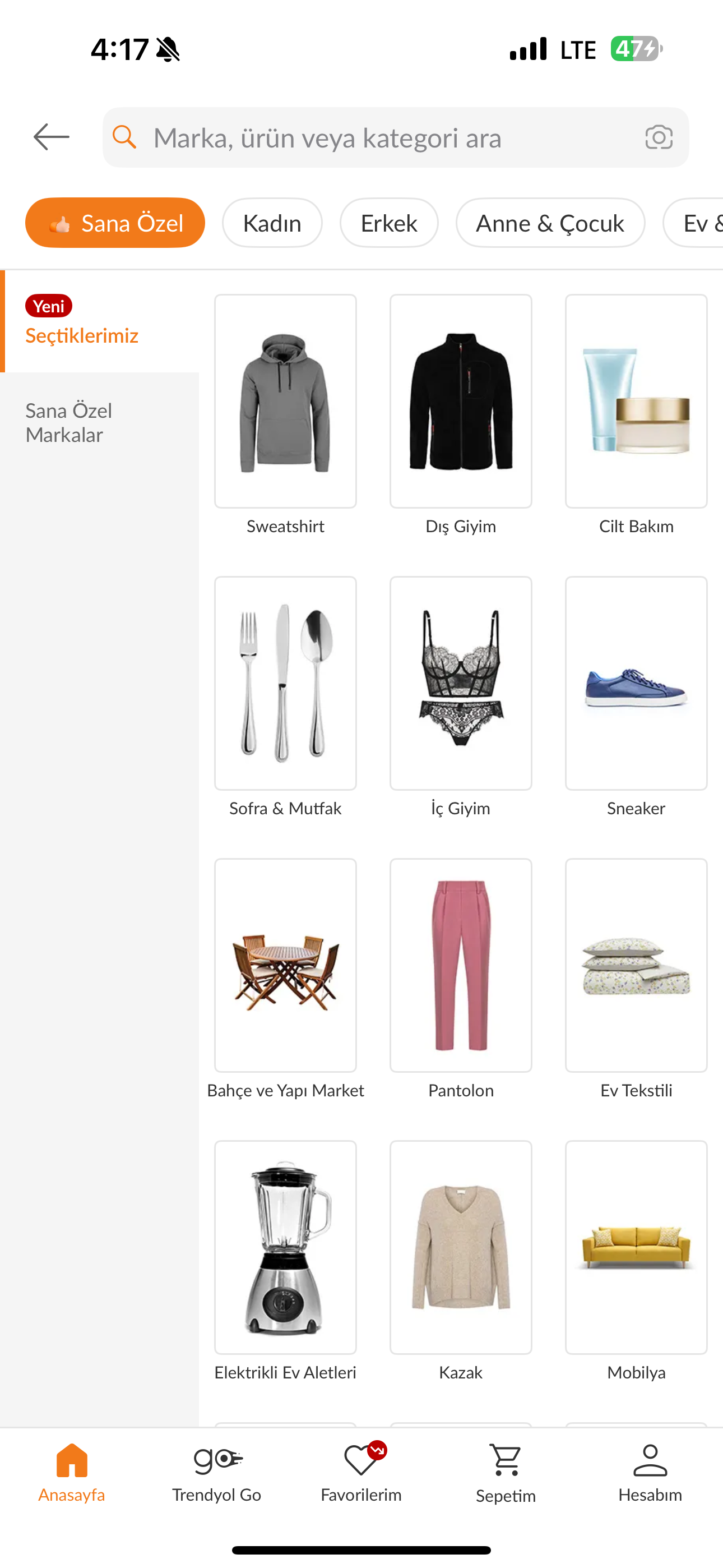
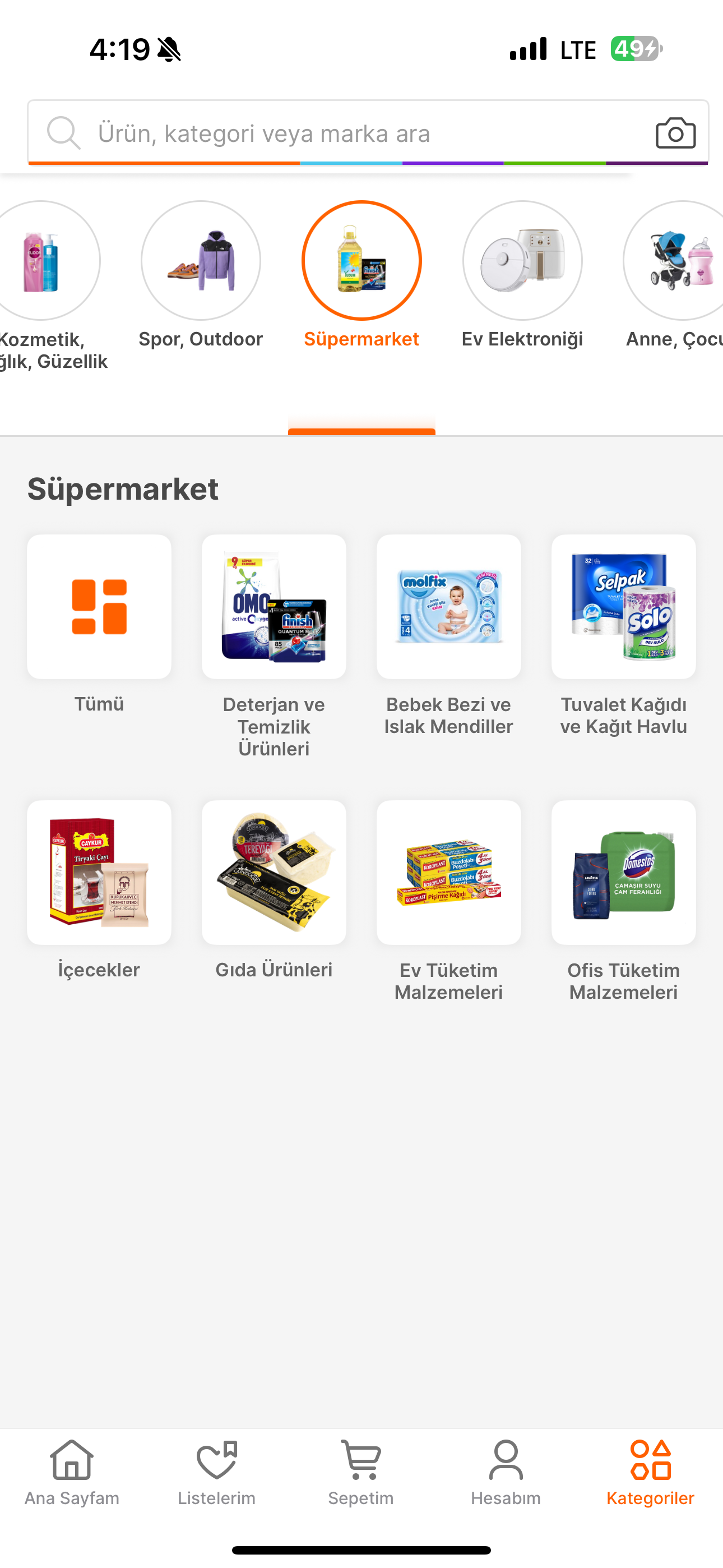
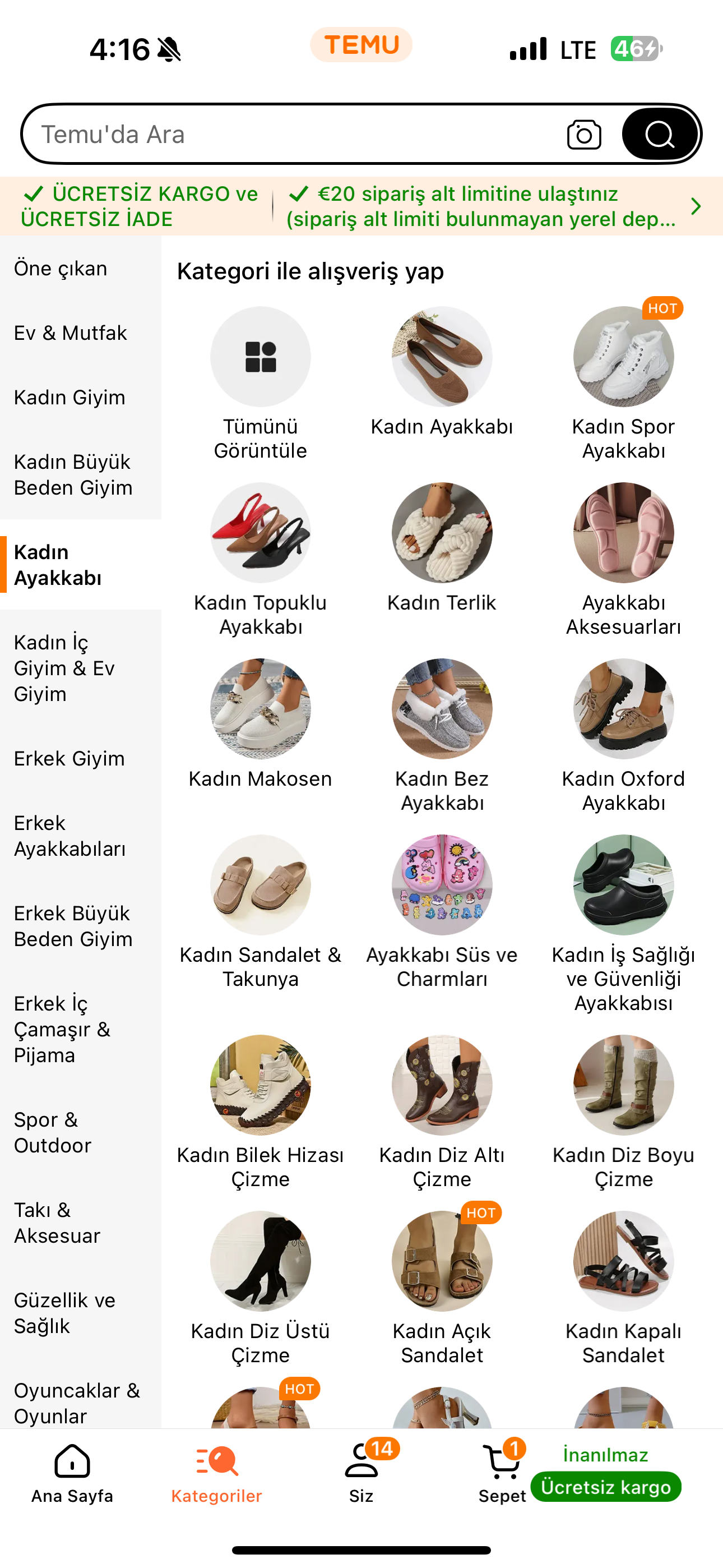
They could add just simple things like seperate blocks in the mobile menu, like CUSTOM HEADER MENU LINK MENU LINK MENU LINK --- CUSTOM BLOCK OR SECOND MENU BLOCK --- CUSTOM BLOCK OR SOCIALS --- Footer with Profile/Login icon, Search Icon etc. .. Also would be great to make menu full width without adding custom css.. Only in mobile menu you guys can make a lot of additional features.