
Oct 12
Design issue
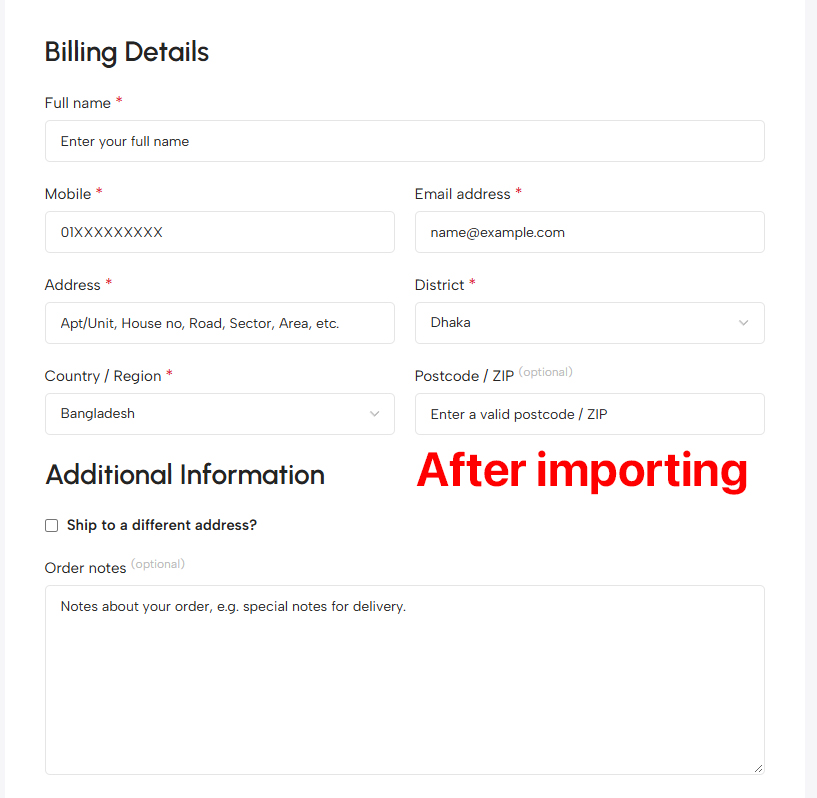
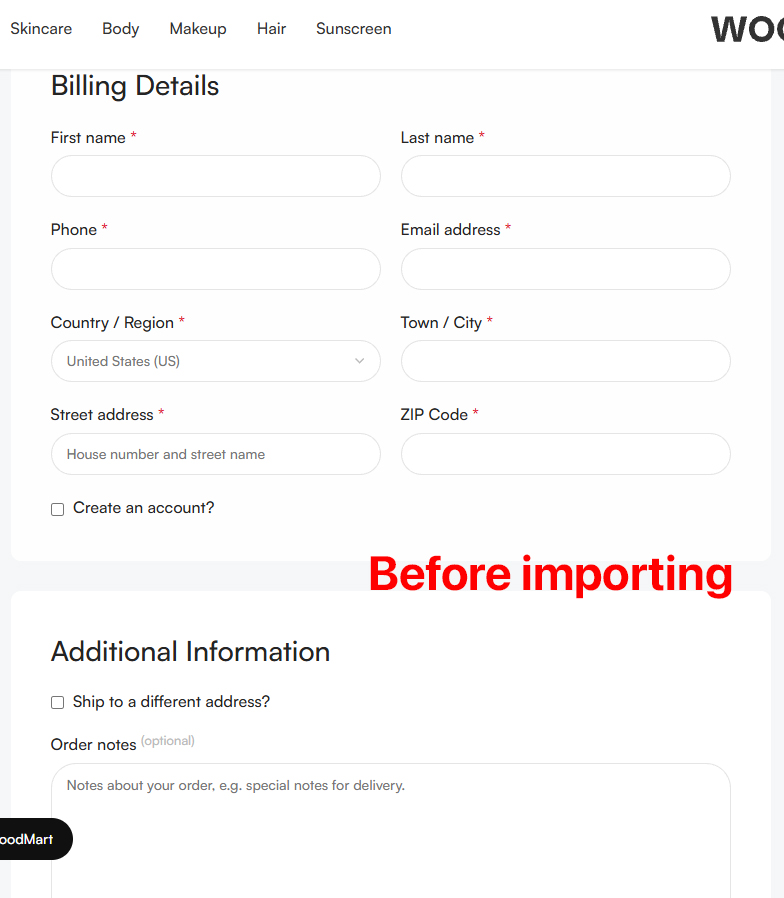
In the pre-built website layout, Additional Information is shown in a separate box. However, after importing the layout, Billing Details and Additional Information are showing in the same box.
Is the design broken, or is this how it is in the original design? Please help.
Pending
Hi Mamun, Thanks for reporting this, and for the clear screenshots! Your site isn’t broken. The design was updated on our live Makeup demo, but the import files shipped with the theme still contain the older version of the “Checkout form - Makeup” layout, where Billing Details and Additional Information share one box. We’ve already updated the import data, and the fix will be included in the next theme update. You don’t need to wait for the update. You can make the change yourself in a couple of minutes: 1. Go to Dashboard → WoodMart → Layouts and edit “Checkout form - Makeup”. 2. In the left column, remove the white background and padding from the column itself. 3. Inside that column, add two containers, each with a white background (#FFFFFF), 40px padding and a 10px border radius. Put a gap between them (for example 20px). 4. Move the Billing Details title and the Billing details element into the first container. Move the Additional Information title and the Shipping details element into the second one. 5. Save the layout. Or, after the next update, you can import just the Checkout page from the Makeup demo again. Let us know if you need any help with this!