
May 30
compare column width
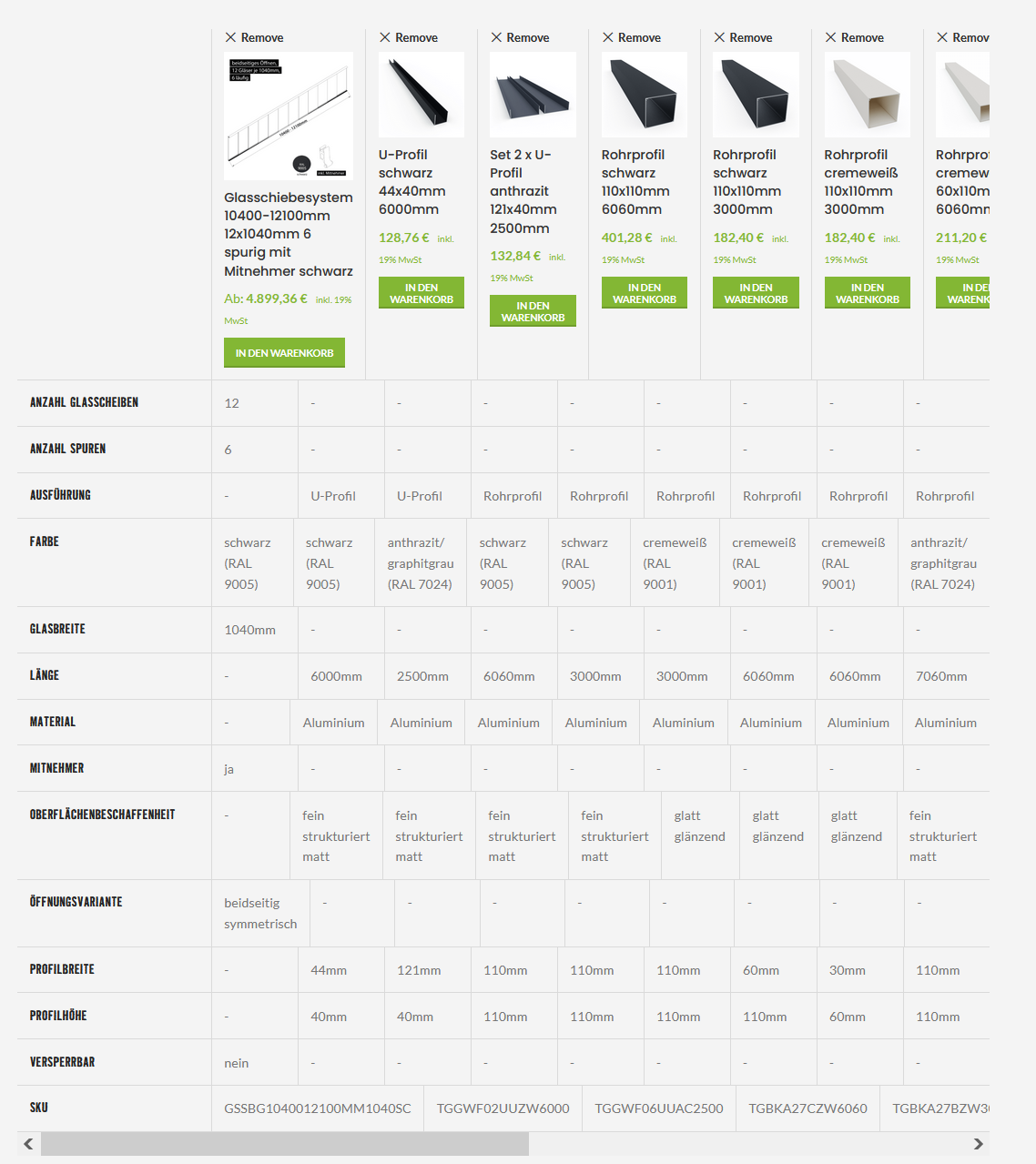
As you can see in the attached screenshot, each column in the compare has a different width in each line. I already asked the Woodmart support and they said thats the current state and it is not possible to change it.
This doesn't look nice. It would be great to have a well formatted compare page where each column is the same width across all lines.
Additionally it makes a difference what the image size is. It would also be nice that all images are displayed the same width and height.
Closed
We apologize for the misunderstanding. The issue you mentioned regarding the column width in the compare table is not a feature request but a bug in our theme, which we must fix. We have replied to you and provided a solution in the relevant topic on the support forum: https://xtemos.com/forums/topic/compare-products-3/#post-569… Additionally, this issue will be fixed in the next update. Since this issue is a bug, this feature request will be closed. Kind Regards