
Apr 17
Changes Do Not Appear On Site
Dear Support Team,
We are encountering persistent issues on our e-commerce site, where visual settings changes are not being reflected on the user interface. Specific problems include:
Sticky Menu: Despite changing the menu settings and position in the admin panel, no changing shown and menu not appear even the main menu try to change but not showing changing in user view ,
Filter: Turning off the filter feature in the admin panel, but it still appears for users.
Troubleshooting Done:
Updated settings in admin.
Cleared browser and server caches.
These issues are critically affecting the user experience on our site. Could you please look into this urgently and advise on the necessary actions to fix these problems?
thanks for ur support
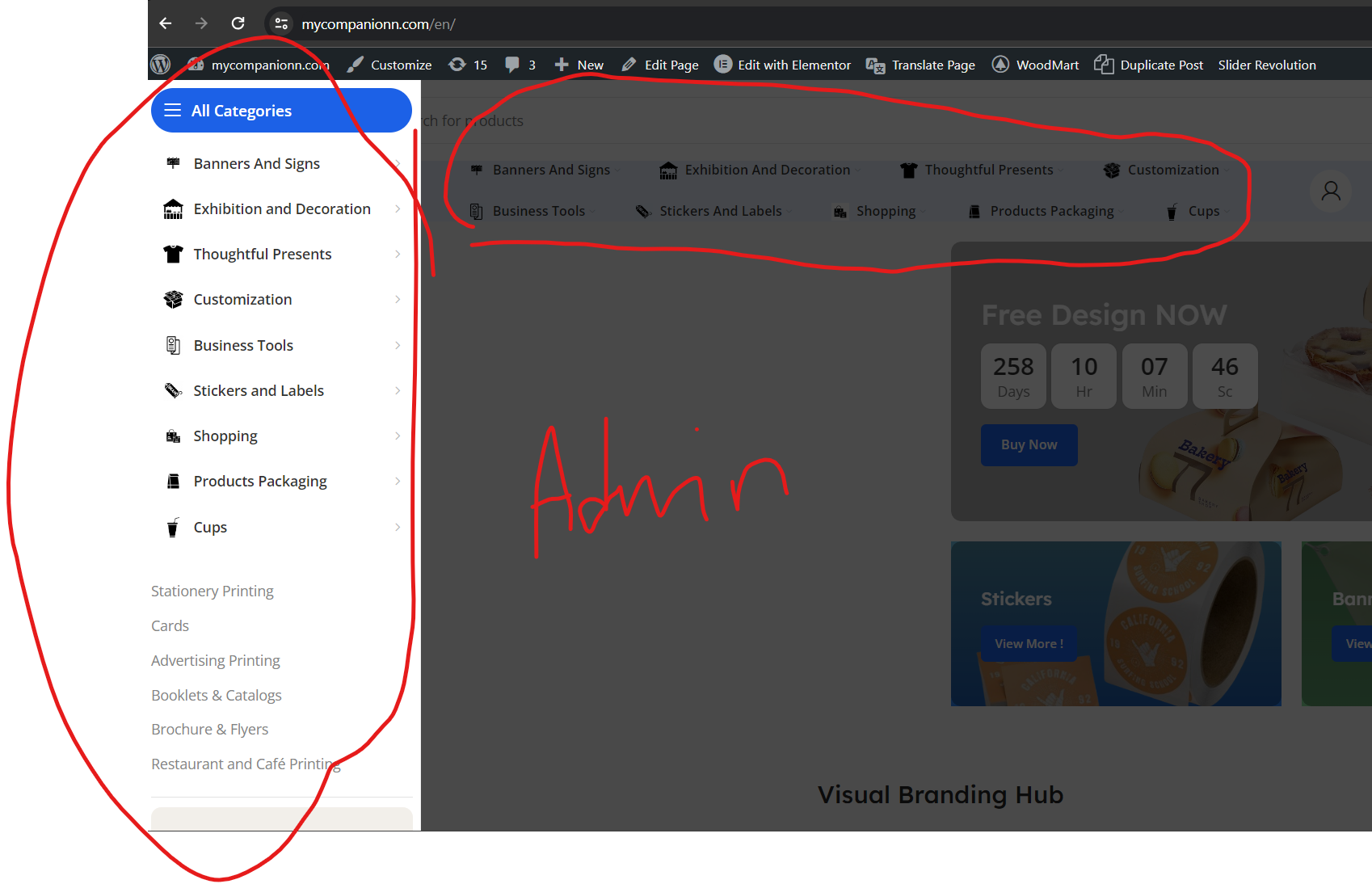
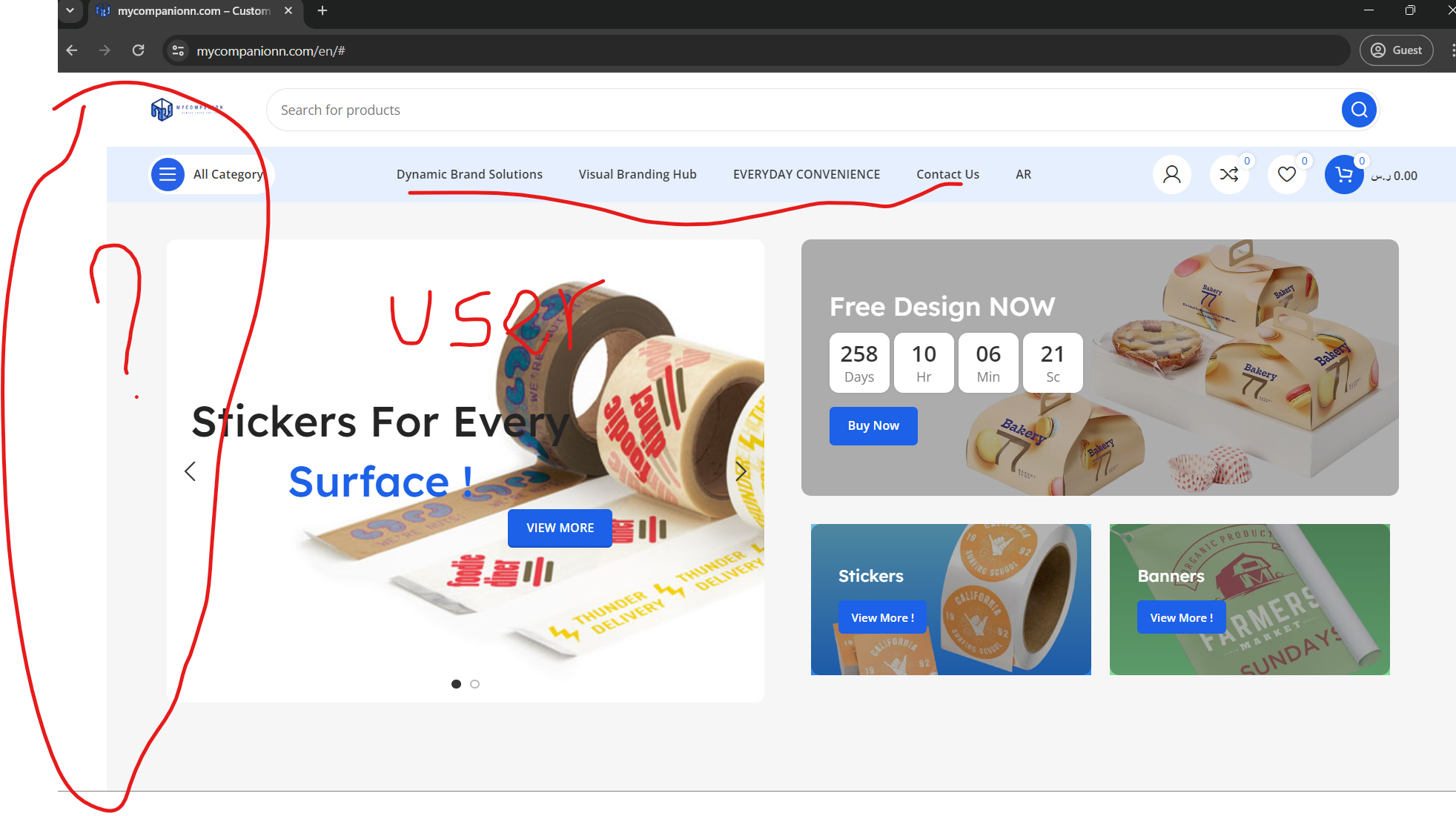
Closed
Hello, Thank you for reaching out to us with your question. We appreciate that you use our theme and are happy to help you in any way we can. To ensure that we are able to provide you with the best support possible, we encourage you to create a new topic on our support forum with your question or issue. Our support team actively monitors the forum and will be able to provide you with a prompt and thorough response. To create a new topic on our support forum, please follow these steps: 1. Visit https://xtemos.com/forums/forum/woodmart-premium-template/ and sign in with your account. 2. Click on the “Create New Topic” button and provide a descriptive title and detailed description of your question or issue. 3. Click “Submit” to post your question. Once you have posted your question on the support forum, our team will review it and provide a response as soon as possible. Thank you for your cooperation, and we look forward to hearing from you on the support forum. Best regards