
Aug 5
Assign Custom-Built Layouts Directly on the Product Edit Page
Hello WoodMart Support Team,
I have a suggestion to improve the workflow of your custom Layouts feature.
Currently, to apply a custom-built layout to a single product, we have to go to Theme Settings -> Layouts, find the correct layout, edit it, and manually add the specific Product ID to its conditions. This workflow is difficult when managing a store with many products that require different layouts.
My feature request is to add a new option on the single product edit page itself.
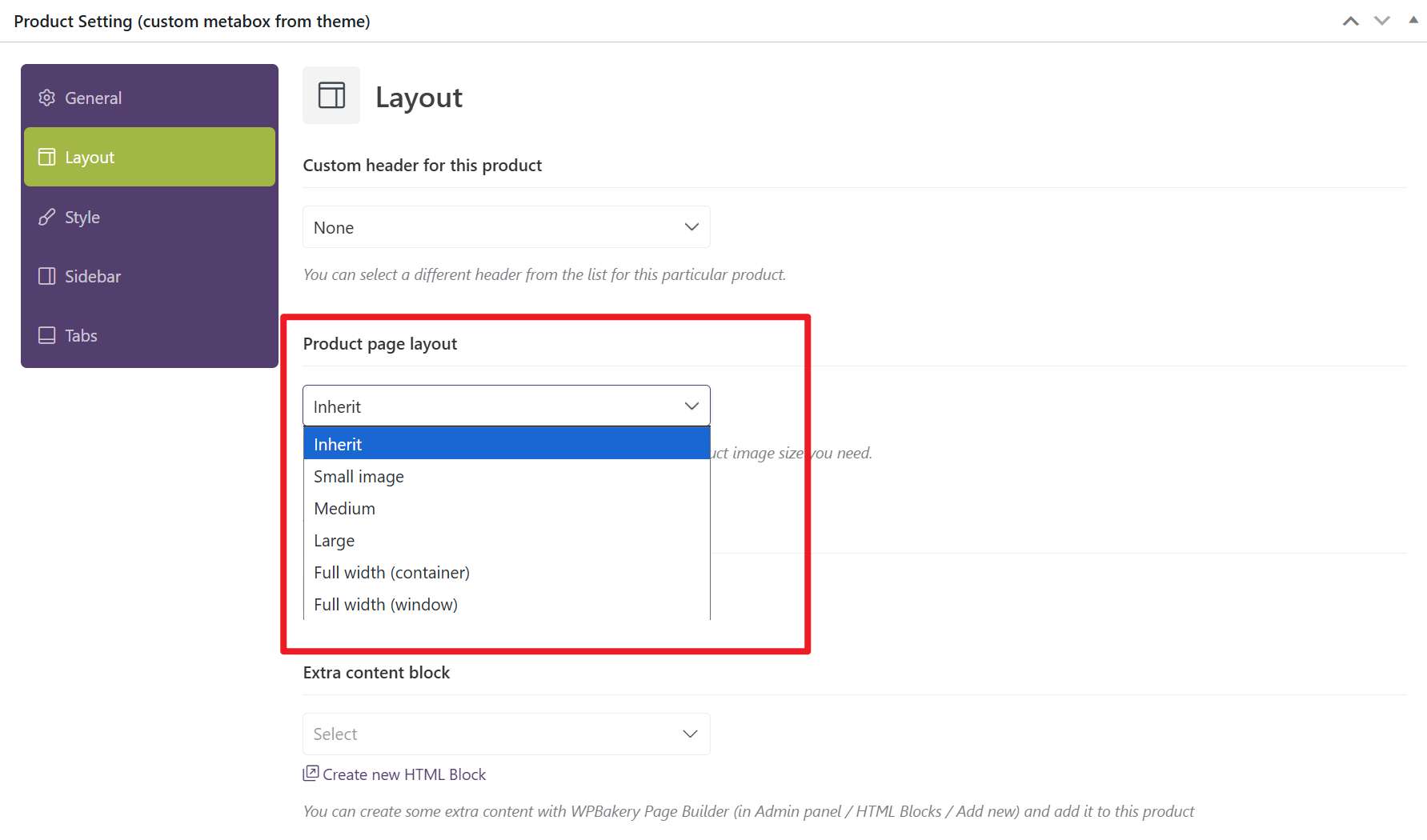
In the "Product Setting" metabox, it would be incredibly helpful to have a new dropdown menu called "Custom Product Page Layout". This new dropdown would list all of the available Layouts that have been created in the Theme Settings -> Layouts builder.
This would work in the exact same way as the current "Custom header for this product" dropdown, but for the main page layout.
This feature would be a huge workflow improvement for store owners. Thank you for your consideration.
Pending
Assigning a special layout for each of hundreds of products sounds like a very tedious and inefficient process. In reality, the Conditions feature is a much more convenient and flexible tool. If you don’t want to manually assign a layout to each product by ID, you can also assign layouts based on category, brand, type, tag, or attribute. If none of these options suit your needs, you can always create a custom attribute, link the desired layout to it, and then assign this attribute to all necessary products. Just make sure to enable the option to hide this attribute from the product page to keep the layout assignment invisible to users.